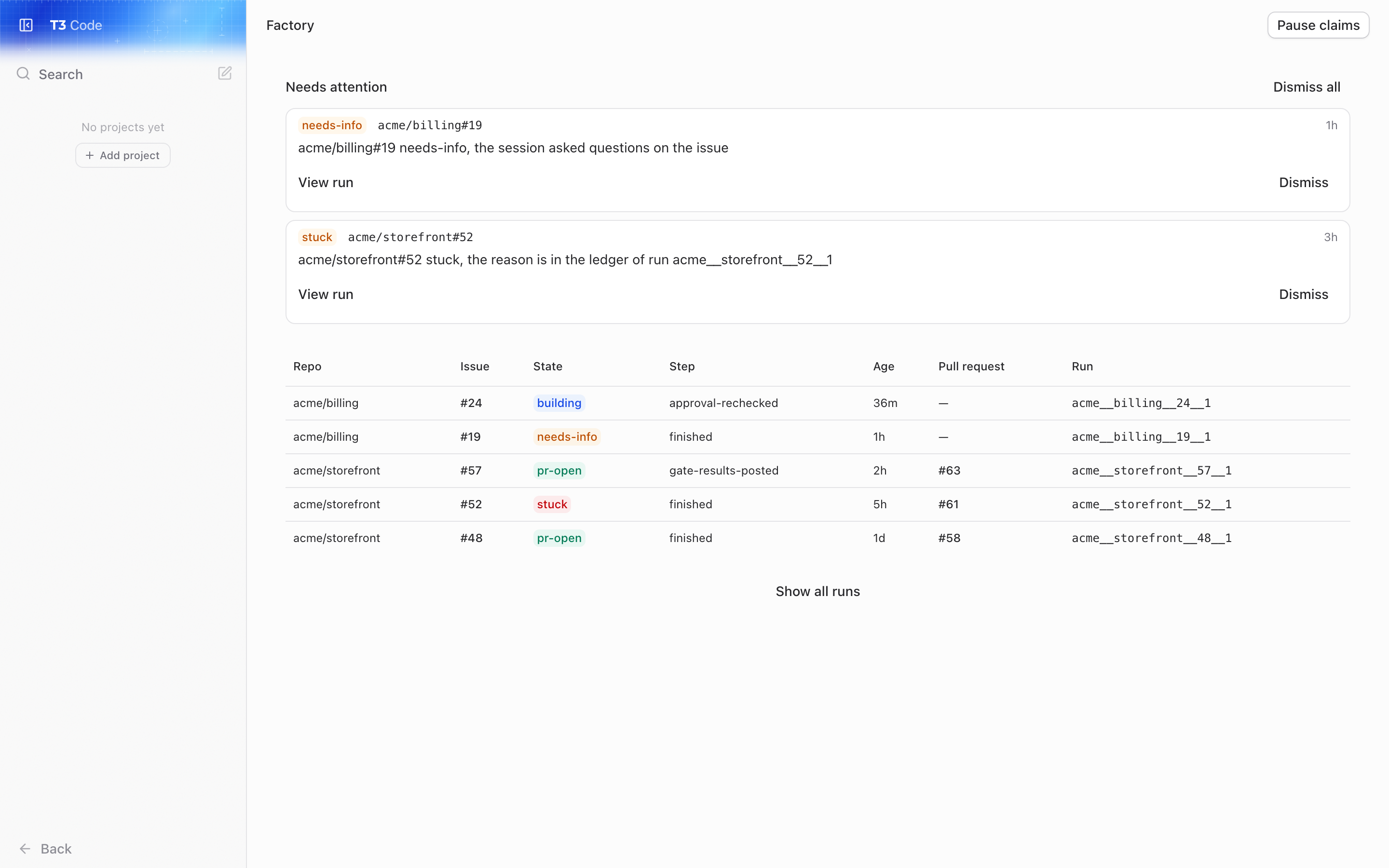
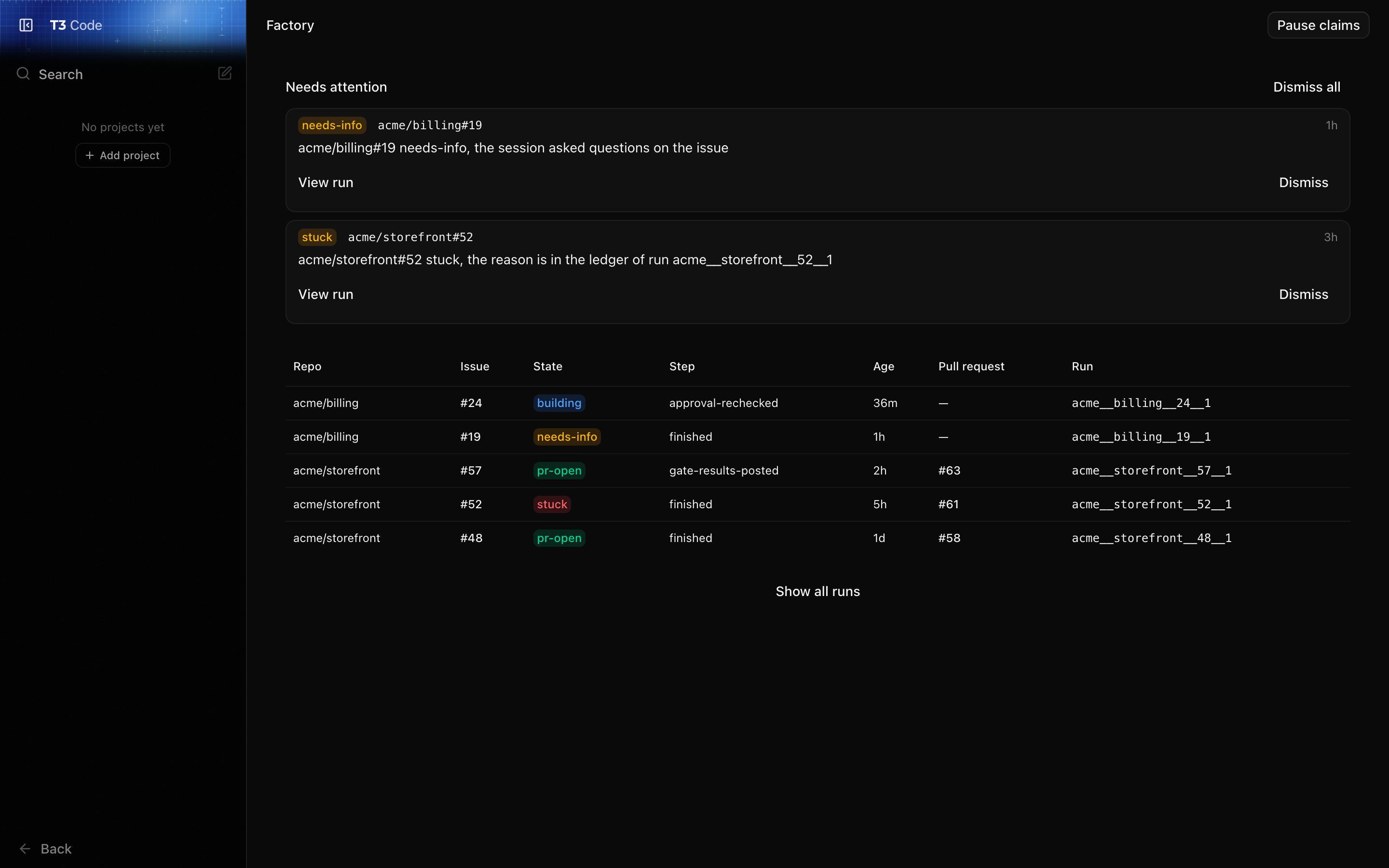
 Use it to see what the factory is doing now. It lists every unfinished run and the runs that finished in the last week, newest first, with each run's repo, issue, state, current step, age and pull request. Show all runs to read the full history. It refreshes every 30 seconds.
It also says when the factory is idle and why (no machine config, or one that failed to load), and lets you pause claims. While claims are paused the factory takes no new `factory:ready` issues in any repo. Runs already under way carry on: sessions, gates and feedback all continue. Resume to start claiming again.
## A run's page
Use it to see what the factory is doing now. It lists every unfinished run and the runs that finished in the last week, newest first, with each run's repo, issue, state, current step, age and pull request. Show all runs to read the full history. It refreshes every 30 seconds.
It also says when the factory is idle and why (no machine config, or one that failed to load), and lets you pause claims. While claims are paused the factory takes no new `factory:ready` issues in any repo. Runs already under way carry on: sessions, gates and feedback all continue. Resume to start claiming again.
## A run's page
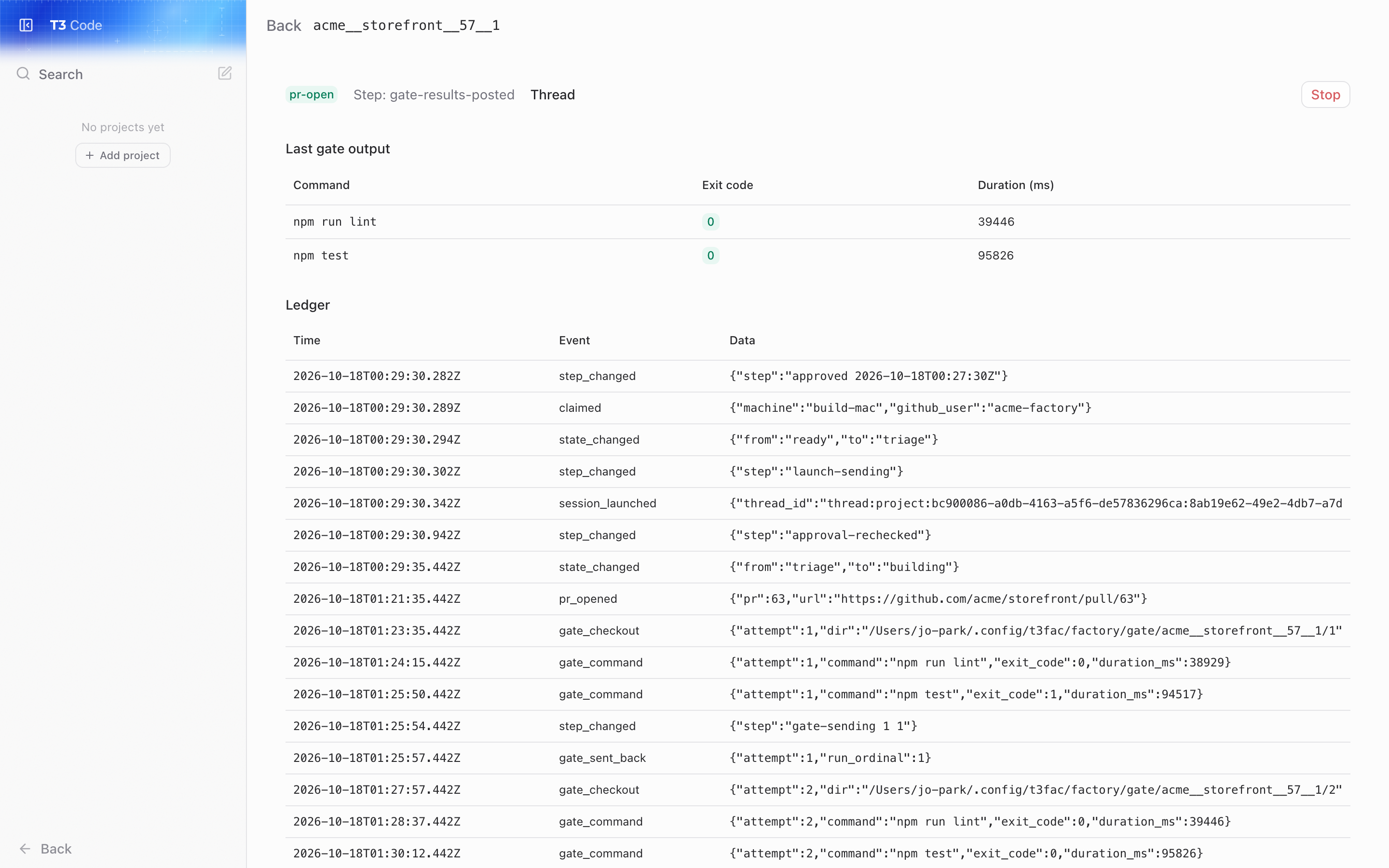
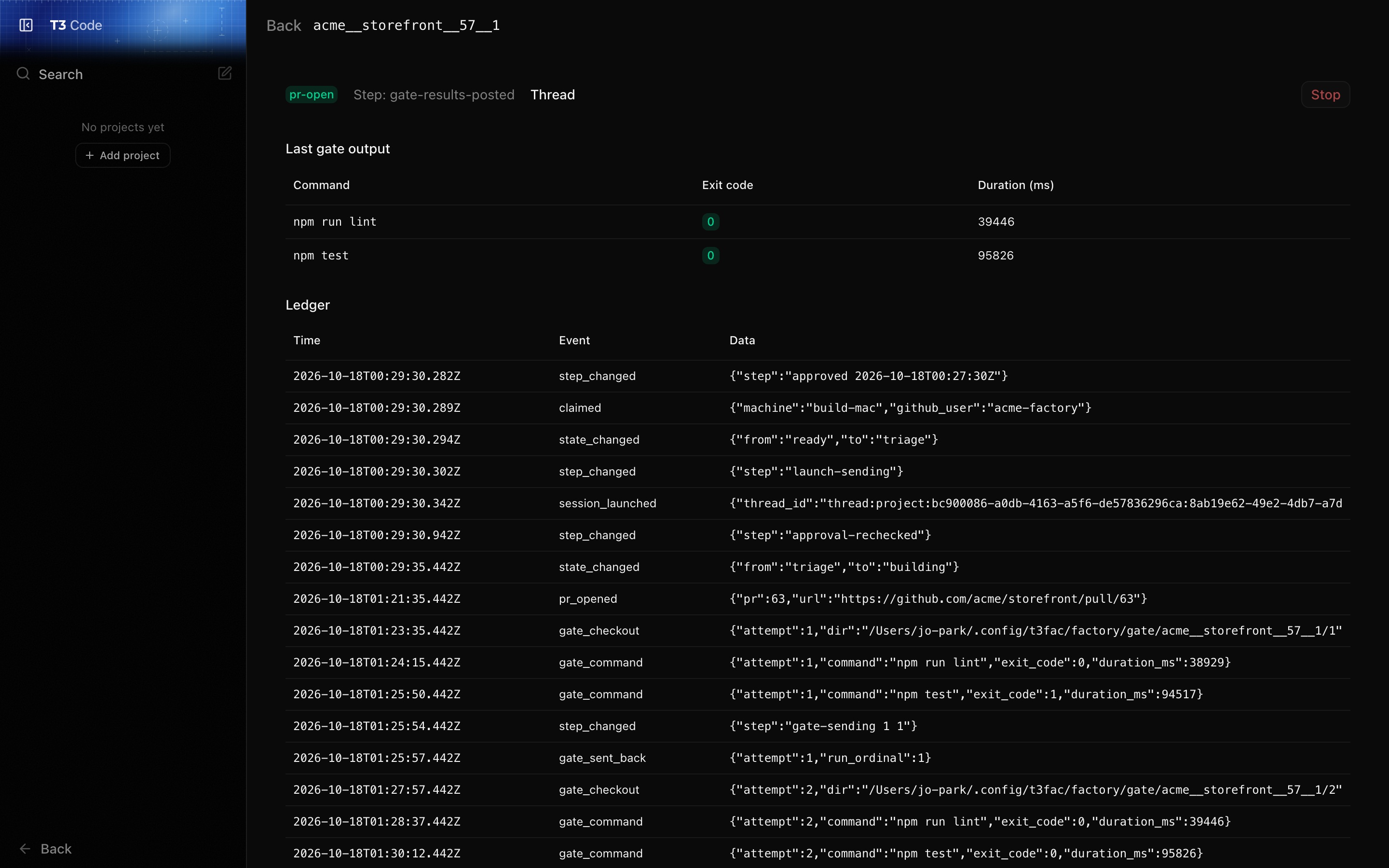 Open a run from the list to see why it is where it is. The page shows the run's state and step, links to its T3 thread so you can read the session, and shows the last gate: each command with its exit code and duration, and the failure output the factory sent back to the session. Below that is the run's ledger, every event the factory recorded for it, in order.
A run in `factory:building` can be stopped from here. See [Stopping a run by hand](/guide/when-a-run-stops#stopping-a-run-by-hand).
## Needs attention
Open a run from the list to see why it is where it is. The page shows the run's state and step, links to its T3 thread so you can read the session, and shows the last gate: each command with its exit code and duration, and the failure output the factory sent back to the session. Below that is the run's ledger, every event the factory recorded for it, in order.
A run in `factory:building` can be stopped from here. See [Stopping a run by hand](/guide/when-a-run-stops#stopping-a-run-by-hand).
## Needs attention
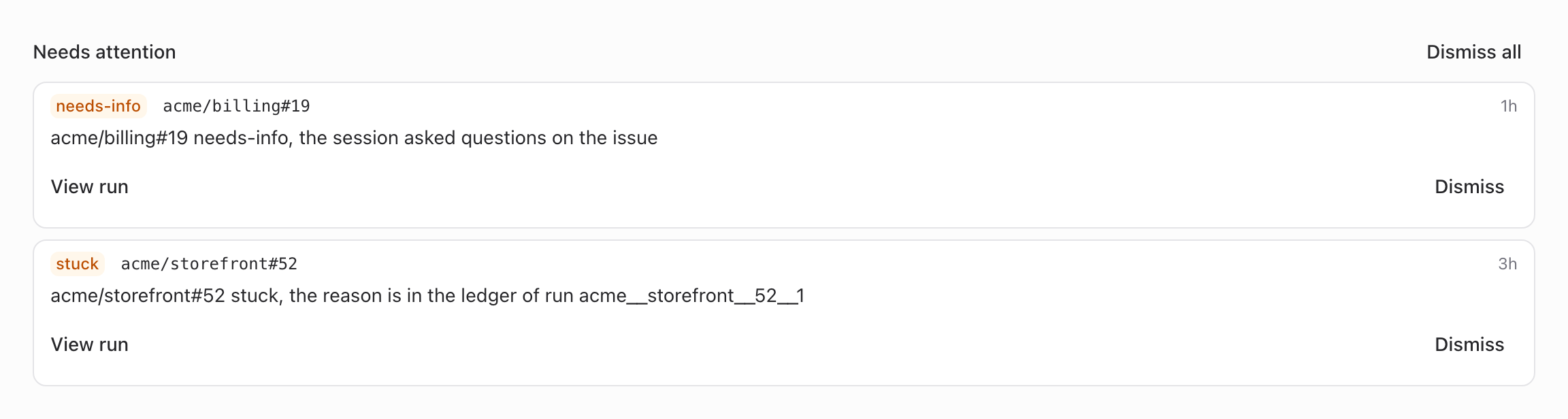
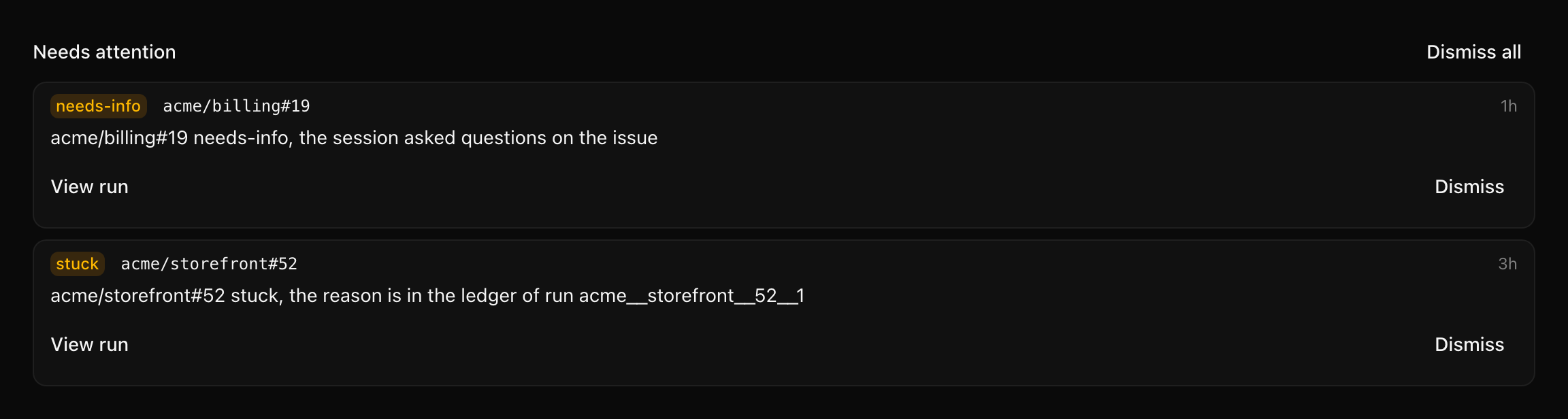 The top of the Factory page lists what needs a person, and the sidebar's Factory item shows how many. An item is raised when:
- a run went to `factory:stuck` or `factory:needs-info`,
- a run is holding a slot but nothing will move it, for example its label was changed by hand,
- the machine config failed to load,
- three passes in a row failed.
Each item links to its run, or to Settings → Factory for a config problem. Each new item also posts a macOS notification, as does a run abandoned because its issue was closed, on the server's Mac, unless `notify` is `false` in the [machine config](/guide/machine-config).
An item clears itself when its cause goes away: the config loads, a pass succeeds, the issue is claimed again. Dismiss an item to hide it once you've dealt with it. A dismissed item stays hidden until its cause clears and comes back.
## Settings → Factory
The top of the Factory page lists what needs a person, and the sidebar's Factory item shows how many. An item is raised when:
- a run went to `factory:stuck` or `factory:needs-info`,
- a run is holding a slot but nothing will move it, for example its label was changed by hand,
- the machine config failed to load,
- three passes in a row failed.
Each item links to its run, or to Settings → Factory for a config problem. Each new item also posts a macOS notification, as does a run abandoned because its issue was closed, on the server's Mac, unless `notify` is `false` in the [machine config](/guide/machine-config).
An item clears itself when its cause goes away: the config loads, a pass succeeds, the issue is claimed again. Dismiss an item to hide it once you've dealt with it. A dismissed item stays hidden until its cause clears and comes back.
## Settings → Factory
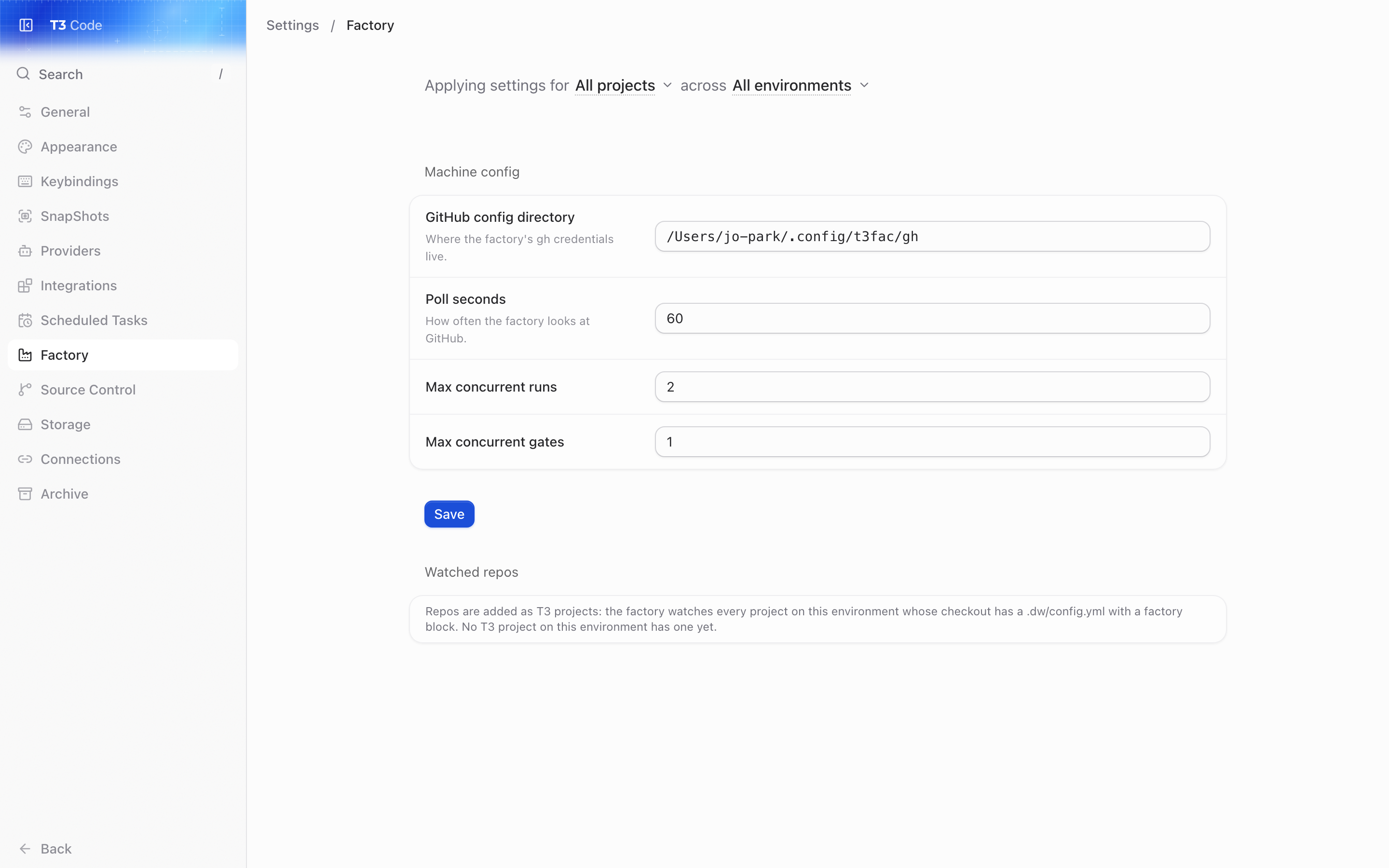
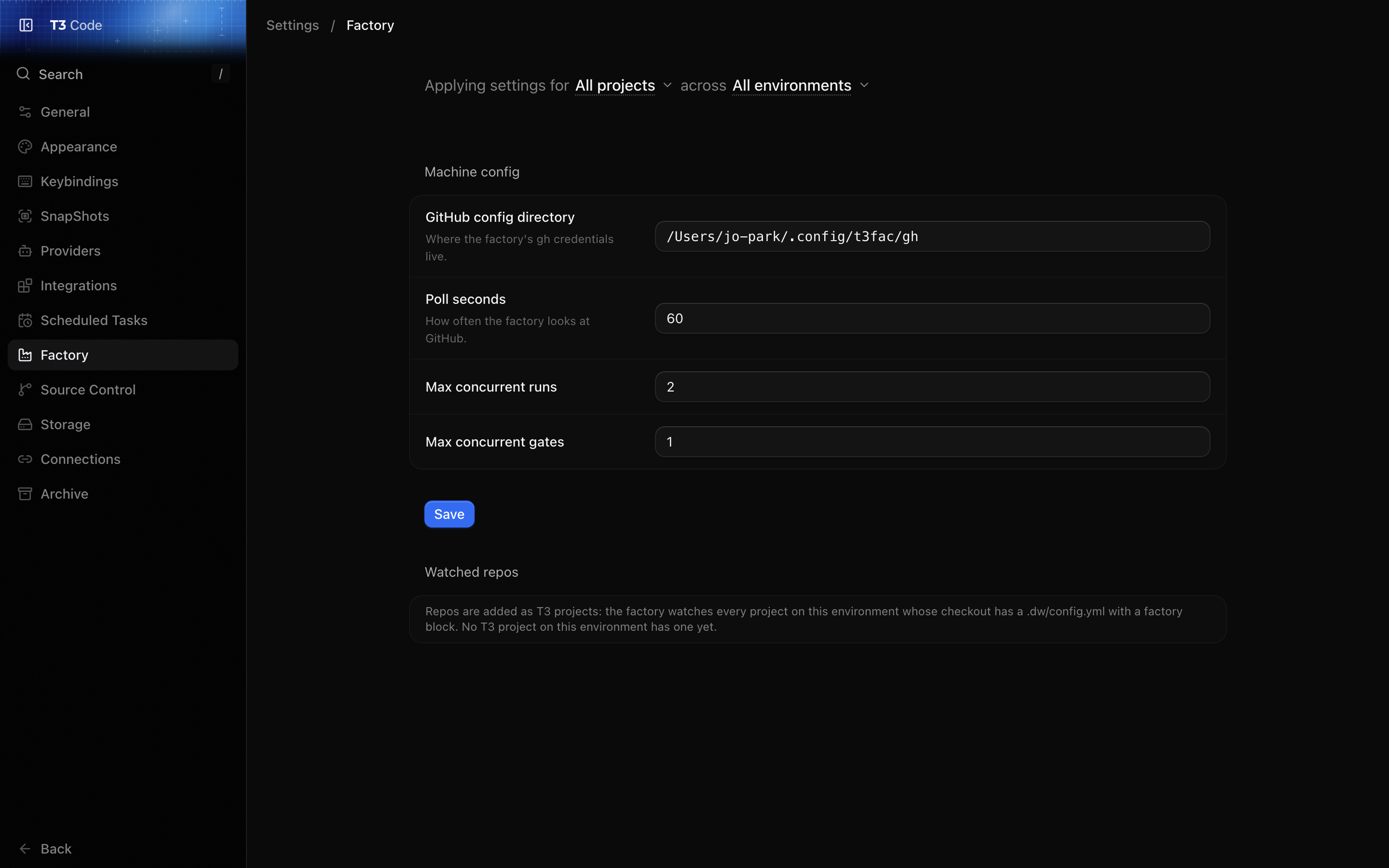 Use it to change the [machine config](/guide/machine-config) and to check which repos are watched. The form edits the GitHub config directory, the poll interval and the run and gate limits, and saves to `~/.config/t3fac/factory/config.yml`. Saving needs a session that may change settings.
Below the form, each watched repo is shown with its T3 project's folder and its `factory` block as the last pass read it from GitHub, including any errors that stop the factory using it. Repos the factory couldn't settle on its last read are listed separately with the reason. [Add a repo](/guide/add-a-repo) explains what makes a repo watched.
Source: https://t3code-factory-docs.originalsolutions.com.au/guide/watching-runs
# When a run stops
Most runs end at `factory:pr-open`. The rest end in one of two labels, each with a comment on the issue that says what happened. Either way the factory archives the session's T3 thread and removes its worktree, and keeps the branch.
## needs-info
Use it to change the [machine config](/guide/machine-config) and to check which repos are watched. The form edits the GitHub config directory, the poll interval and the run and gate limits, and saves to `~/.config/t3fac/factory/config.yml`. Saving needs a session that may change settings.
Below the form, each watched repo is shown with its T3 project's folder and its `factory` block as the last pass read it from GitHub, including any errors that stop the factory using it. Repos the factory couldn't settle on its last read are listed separately with the reason. [Add a repo](/guide/add-a-repo) explains what makes a repo watched.
Source: https://t3code-factory-docs.originalsolutions.com.au/guide/watching-runs
# When a run stops
Most runs end at `factory:pr-open`. The rest end in one of two labels, each with a comment on the issue that says what happened. Either way the factory archives the session's T3 thread and removes its worktree, and keeps the branch.
## needs-info
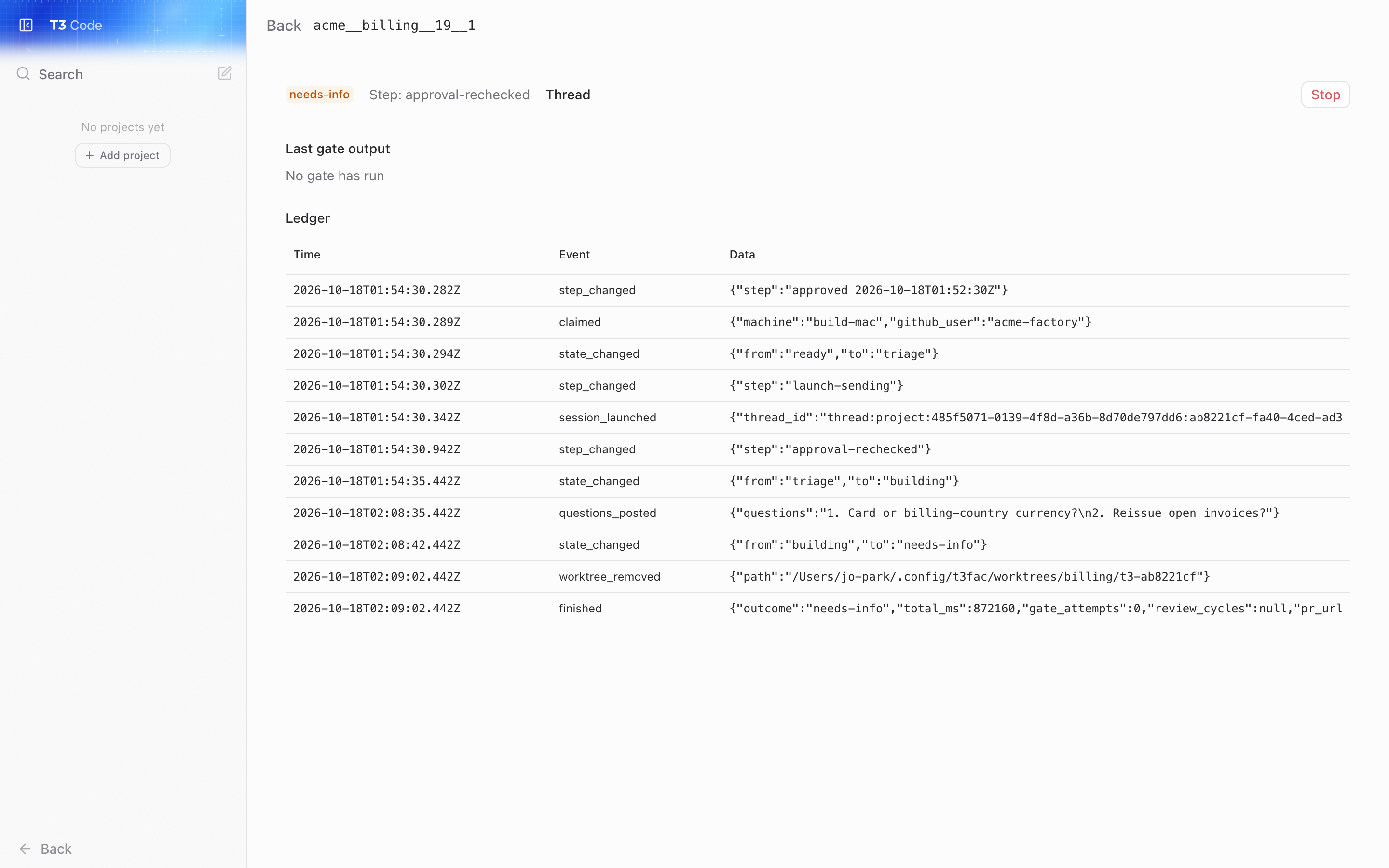
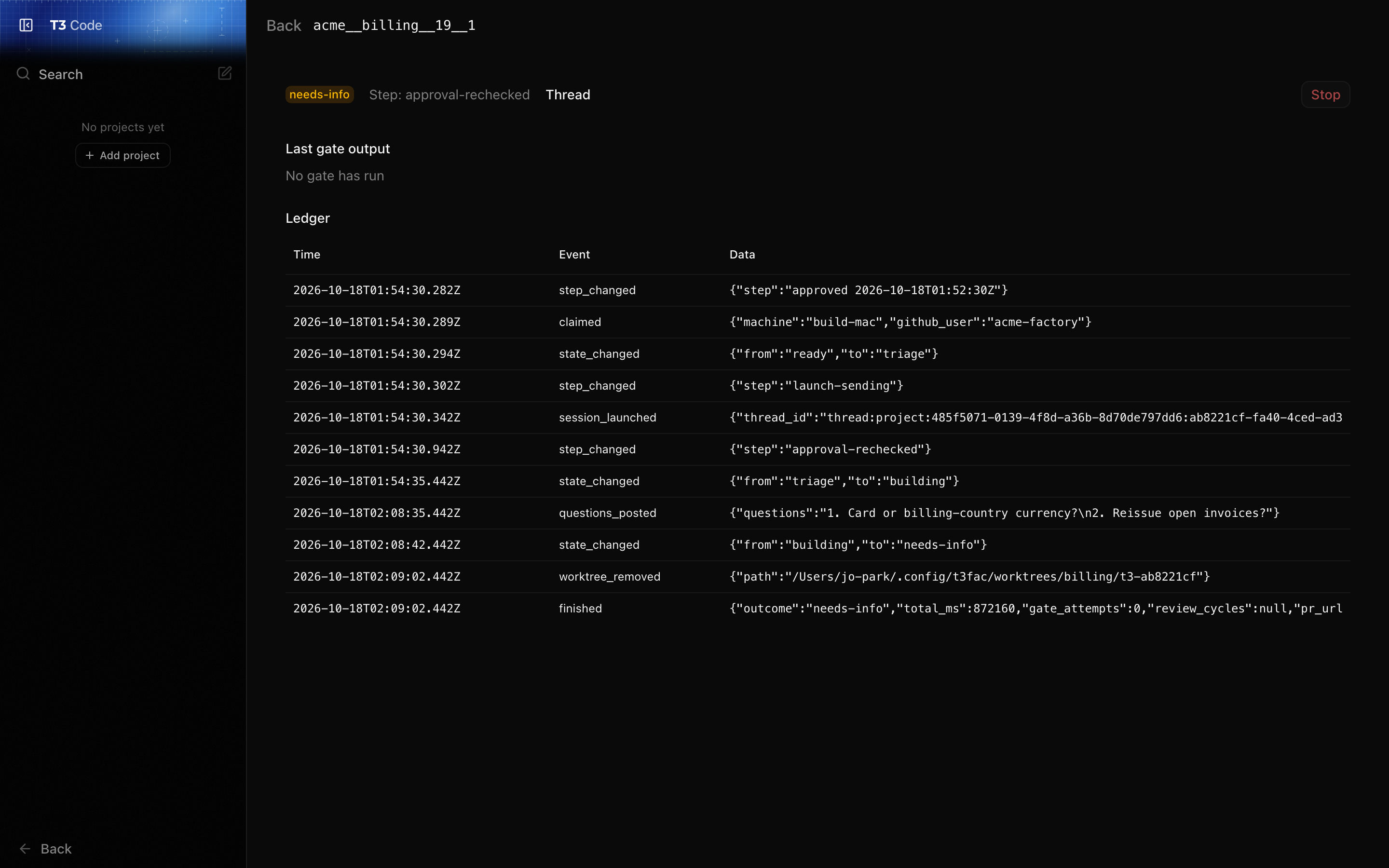 The session decided the issue can't be built as written: the outcome is unclear, two readings would give different code, or the issue holds two separate pieces of work. It ends with its questions, and the factory posts them as a comment, sets `factory:needs-info` and unassigns the issue.
Answer in a comment or edit the issue so it settles every question, then an instructor sets `factory:ready`. The factory doesn't read the answer by itself: the label starts a new run, which reads the issue from the top.
## stuck
The factory gave up. The comment gives the reason and, when the session had made commits, the branch they are on. Common reasons:
| Reason | What to do |
| ------------------------------------------------------------- | ---------------------------------------------------------------------------------------------------------------------------------- |
| The gate failed after the allowed attempts | Read the gate output on the [run's page](/guide/watching-runs#a-run-s-page), fix the cause or the issue, then set `factory:ready`. |
| The run passed its time limit | Split the issue, or raise `limits.minutes` in `.dw/config.yml`. |
| The session gave up, or ended without a result line | Read the session in its T3 thread. |
| The issue text was changed by someone who isn't an instructor | Review the text, then set `factory:ready`. |
| The session ran as the wrong GitHub account | Restart the server so it has the right `GH_CONFIG_DIR` (see [the machine config](/guide/machine-config#changing-it)). |
| The required checks failed, or didn't report in time | Check the repo's CI and `required_checks`. |
| No model to launch with | Set a default model on the T3 project or in T3's Settings. |
| Stopped by hand | Nothing: someone stopped it. |
Fix the cause, then an instructor sets `factory:ready` to start a new run. A new run starts from the base branch, not from the old branch.
## The time limit
Each run may spend `limits.minutes` (180 by default) claimed and building. Time waiting at `factory:pr-open` doesn't count. Past the limit, the factory stops the session and sets `factory:stuck` with the reason "the run passed its time limit".
Other limits in the repo's [factory block](/guide/add-a-repo#_1-commit-the-factory-block) cap the gate retries, the gate reruns when the base branch moves, and the wait for required checks. Each ends the run with `factory:stuck` when it runs out.
If T3 itself had trouble (the server restarted, or several sessions failed at once), the factory resumes the session instead of giving up, up to `limits.interruption_resumes` times. A session someone stopped in T3 waits rather than counting as a failure.
## Stopping a run by hand
A run in `factory:building` can be stopped from its [run page](/guide/watching-runs#a-run-s-page), or on the server's Mac with:
```sh
factory/scripts/stop-run.sh
The session decided the issue can't be built as written: the outcome is unclear, two readings would give different code, or the issue holds two separate pieces of work. It ends with its questions, and the factory posts them as a comment, sets `factory:needs-info` and unassigns the issue.
Answer in a comment or edit the issue so it settles every question, then an instructor sets `factory:ready`. The factory doesn't read the answer by itself: the label starts a new run, which reads the issue from the top.
## stuck
The factory gave up. The comment gives the reason and, when the session had made commits, the branch they are on. Common reasons:
| Reason | What to do |
| ------------------------------------------------------------- | ---------------------------------------------------------------------------------------------------------------------------------- |
| The gate failed after the allowed attempts | Read the gate output on the [run's page](/guide/watching-runs#a-run-s-page), fix the cause or the issue, then set `factory:ready`. |
| The run passed its time limit | Split the issue, or raise `limits.minutes` in `.dw/config.yml`. |
| The session gave up, or ended without a result line | Read the session in its T3 thread. |
| The issue text was changed by someone who isn't an instructor | Review the text, then set `factory:ready`. |
| The session ran as the wrong GitHub account | Restart the server so it has the right `GH_CONFIG_DIR` (see [the machine config](/guide/machine-config#changing-it)). |
| The required checks failed, or didn't report in time | Check the repo's CI and `required_checks`. |
| No model to launch with | Set a default model on the T3 project or in T3's Settings. |
| Stopped by hand | Nothing: someone stopped it. |
Fix the cause, then an instructor sets `factory:ready` to start a new run. A new run starts from the base branch, not from the old branch.
## The time limit
Each run may spend `limits.minutes` (180 by default) claimed and building. Time waiting at `factory:pr-open` doesn't count. Past the limit, the factory stops the session and sets `factory:stuck` with the reason "the run passed its time limit".
Other limits in the repo's [factory block](/guide/add-a-repo#_1-commit-the-factory-block) cap the gate retries, the gate reruns when the base branch moves, and the wait for required checks. Each ends the run with `factory:stuck` when it runs out.
If T3 itself had trouble (the server restarted, or several sessions failed at once), the factory resumes the session instead of giving up, up to `limits.interruption_resumes` times. A session someone stopped in T3 waits rather than counting as a failure.
## Stopping a run by hand
A run in `factory:building` can be stopped from its [run page](/guide/watching-runs#a-run-s-page), or on the server's Mac with:
```sh
factory/scripts/stop-run.sh `, or `...; rollback to
failed too`, or `...; no earlier version to roll back to`). |
## rollback.sh
| | |
| ------ | ---------------------------------------------------------------------------------------------- |
| Usage | `factory/scripts/rollback.sh` |
| Does | Points `current` at `previous`, restarts both jobs, removes `previous`, runs the health check. |
| Prints | `rolled back to